
If you have ever searched for a LinkedIn banner online, you may have noticed that people use different names for it.
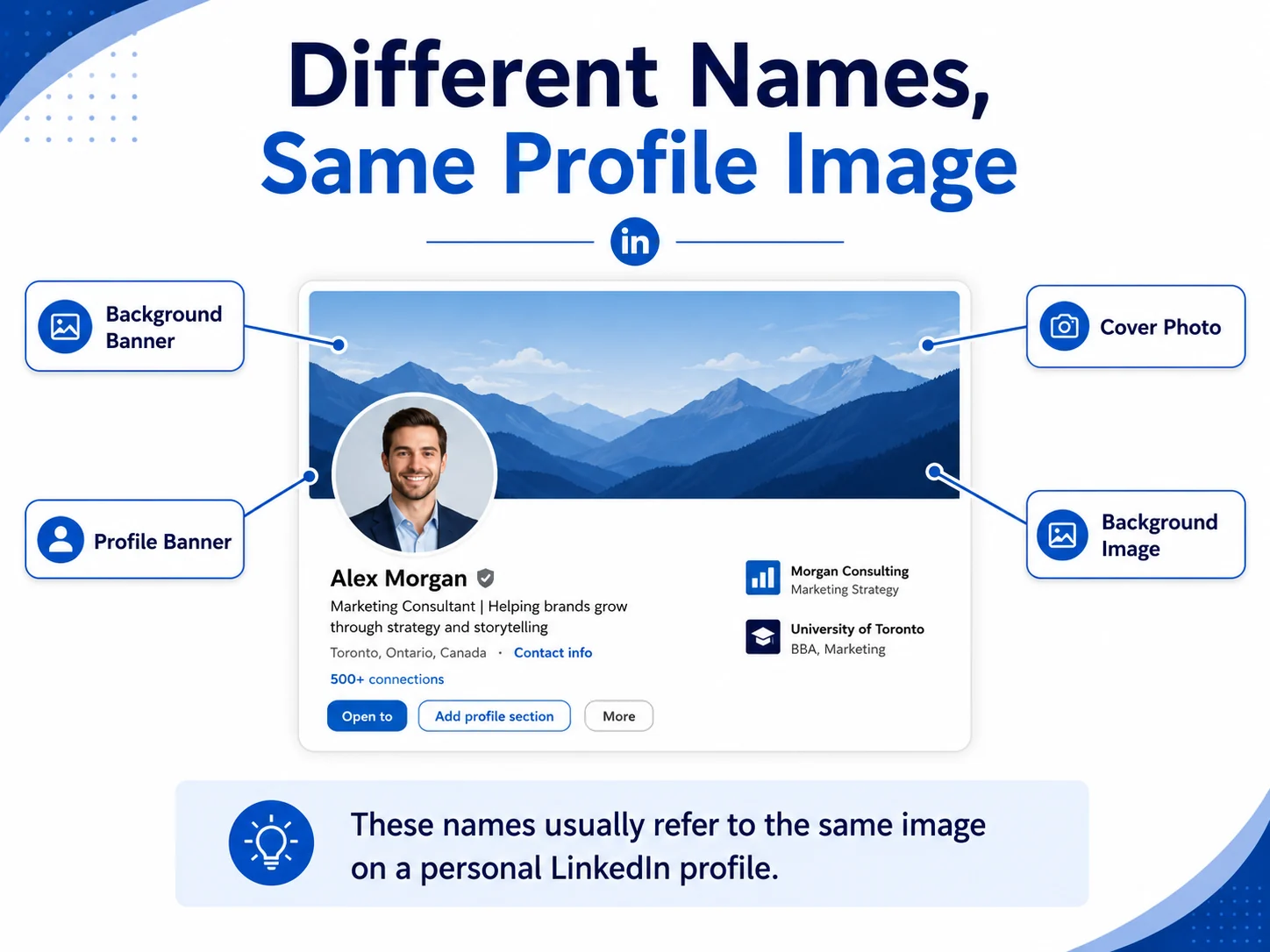
Some call it a LinkedIn background banner. Some call it a LinkedIn cover photo. Some call it a LinkedIn profile banner. Some simply call it a LinkedIn background image.
This can feel a little confusing, especially if you are trying to update your profile and just want the right image size.
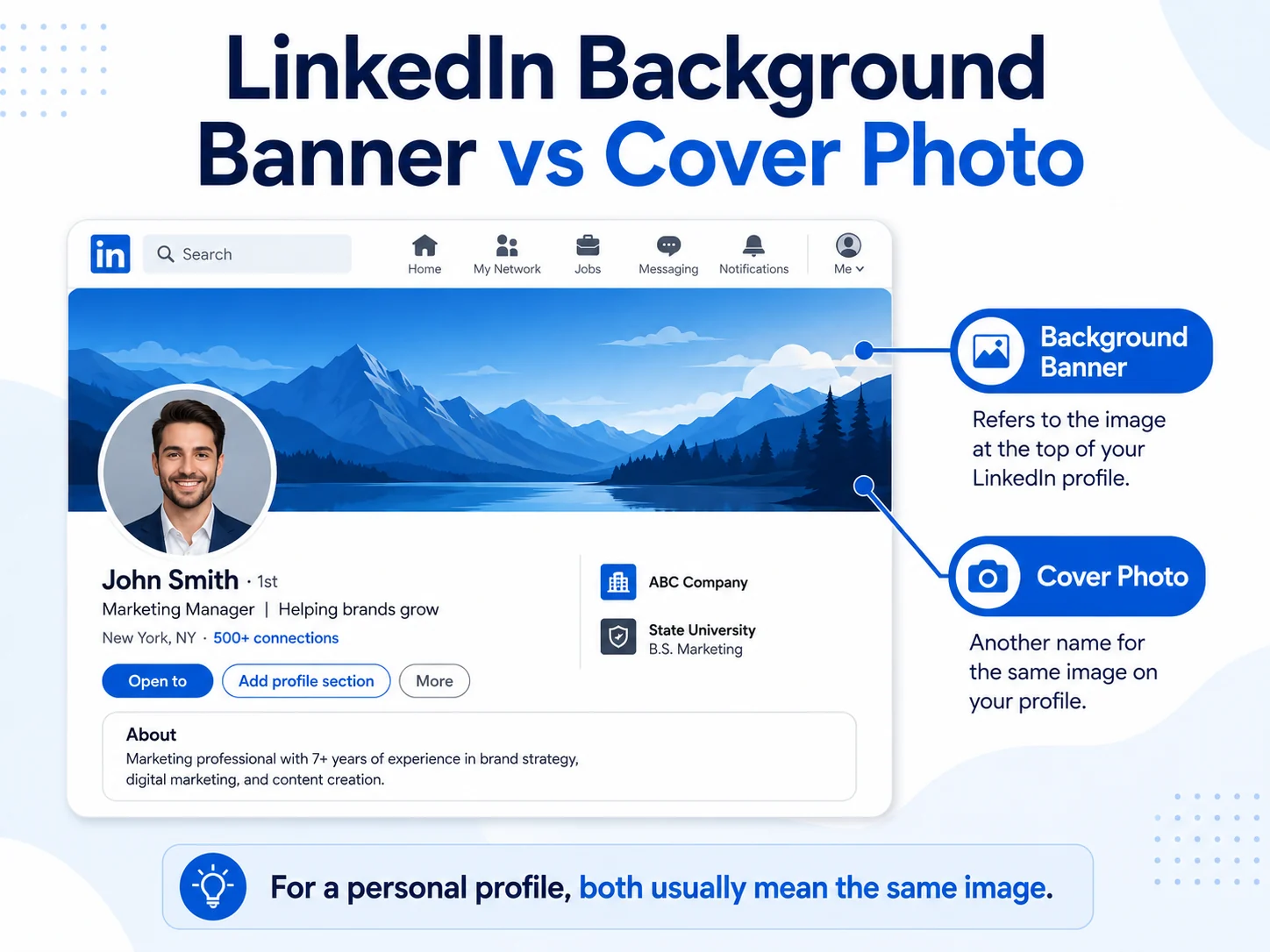
The good news is that, in most cases, people are talking about the same thing: the wide image that appears at the top of your personal LinkedIn profile, behind your profile photo.
In this guide, we will explain the difference in simple words, show which image you actually need, and help you choose the right banner for your profile.
What Is a LinkedIn Background Banner?
A LinkedIn background banner is the wide image at the top of your LinkedIn profile.
It sits behind your profile photo and gives your profile a more complete look. When someone visits your profile, this is one of the first things they see.
A good background banner can make your profile feel more professional, clean, and trustworthy. It can also show a little bit about your work, industry, or personal brand.
For example, a business professional may use a clean office or corporate-style banner. A software developer may use a technology-style background. A real estate professional may use a city or building banner. A designer may choose something more creative or abstract.
The purpose is simple: it helps your profile look less empty and more polished.
What Is a LinkedIn Cover Photo?
A LinkedIn cover photo is another name for the image at the top of your profile.
LinkedIn itself often uses the term “cover image” or “cover photo” when talking about this area. So if you see the words “cover photo” while editing your profile, it usually means the same top background image.
This is why many people get confused. They may search for “LinkedIn background banner” but LinkedIn may call it a “cover image” inside the platform.
In simple words:
A LinkedIn cover photo is the same top image people often call a LinkedIn background banner.
Are LinkedIn Background Banner and Cover Photo the Same?
For a personal LinkedIn profile, yes, they are usually the same thing.
The terms are different, but they normally point to the same image area.
Here is a simple way to understand it:
LinkedIn background banner is a common name people use when searching online. LinkedIn cover photo is a name LinkedIn and many guides use. LinkedIn profile banner is another common name for the same image. LinkedIn background image is also used by many people.
So if you are looking for a free LinkedIn background banner, free LinkedIn cover photo, or free LinkedIn profile banner, you are usually looking for the same type of image.
The image should be wide, horizontal, and designed for the top section of your LinkedIn profile.
Why Do People Use Different Names?
People use different names because different platforms use different words.
On Facebook, many people say “cover photo.” On websites and design tools, people may say “banner.” On LinkedIn, people may see “cover image” or “background photo.” In SEO searches, people often type “LinkedIn banner” because it sounds simple.
That is why one person may say “LinkedIn cover photo” and another may say “LinkedIn banner,” even though they are talking about the same profile image.
The important thing is not the name. The important thing is using the right size and choosing a design that fits your profile.
If you also want cover-photo style ideas for LinkedIn profiles and company pages, you can visit LinkedInCoverPhotos.com for more LinkedIn cover photo inspiration.
LinkedIn Profile Banner vs LinkedIn Company Page Cover Image
This is where the difference matters more.
A personal LinkedIn profile banner is not the same as a LinkedIn Company Page cover image.
Your personal profile is your own profile. It shows your name, profile photo, headline, experience, and personal activity.
A LinkedIn Company Page is for a business, brand, agency, or organization. It has a different layout and different image size rules.
So when you download or design a banner, make sure you know where you are going to use it.
If you are updating your own LinkedIn profile, you need a personal profile background banner.
If you are updating your business page, you need a company page cover image.
These two images are not always the same size, and one may not fit well in the other place.
Which One Do You Need for Your Personal Profile?
If you are updating your own LinkedIn profile, you need the personal profile banner.
You may see it called:
LinkedIn background banner LinkedIn cover photo LinkedIn profile banner LinkedIn background image LinkedIn header image
All of these names can refer to the same image for your personal profile.
So if your goal is to make your own profile look better, choose a banner made for a personal LinkedIn profile, not a company page.
The best size to use for a personal LinkedIn profile banner is:
1584 × 396 pixels
This size gives the banner the right wide shape for the profile header.
What Should a Good LinkedIn Banner Show?
A good LinkedIn banner should support your profile. It does not have to explain everything about you.
In fact, simple banners often work better.
You can use a banner that shows your industry, your style, or the type of work you do.
Here are a few easy examples:
If you work in business, you can use a clean office, building, or corporate-style banner.
If you work in tech, you can use a digital, coding, or modern abstract background.
If you are a student or job seeker, you can use a simple professional banner that does not look too busy.
If you work in real estate, you can use a building, skyline, or modern property-style banner.
If you are a designer, marketer, or creative professional, you can use a graphic or abstract banner.
If you want a calm and clean profile, you can use a nature or minimal background.
The goal is to make your profile look better without making the banner too distracting.
Should Your Banner Have Text?
Your LinkedIn banner can have text, but it does not need to.
For many people, a clean textless banner looks better. It gives the profile a professional feel without making the top area too crowded.
If you do use text, keep it short and clear.
For example:
“Marketing Consultant” “Helping Brands Grow Online” “Software Developer” “Real Estate Advisor” “Finance Professional”
Avoid long sentences or too many words. Small text can become hard to read, especially on mobile.
Also, remember that your profile photo covers part of the left side of the banner. So do not place important text or logos too close to the left side.
Common Mistakes to Avoid
A LinkedIn banner can help your profile, but only if it looks clean.
Here are some common mistakes to avoid:
Using a random image that does not fit the banner shape. Uploading a small image that becomes blurry. Adding too much text. Using colors that clash with your profile photo. Putting important details behind the profile photo. Using a busy image that makes your profile look messy. Using a company page cover image for a personal profile. Using copyrighted images without permission.
A banner should make your profile look more polished. It should not make people work hard to understand it.
Best Size for a LinkedIn Background Banner
For a personal LinkedIn profile, the recommended banner size is:
1584 × 396 pixels
Use JPG or PNG format and keep the file size under 8MB.
If your banner looks blurry after uploading, the image may be too small, too compressed, or not designed in the correct shape.
You can read the full LinkedIn Banner Size Guide on our blog if you want a deeper guide about dimensions, file type, and safe area.
Where to Download Free LinkedIn Background Banners
You do not need to design a banner from scratch.
At LinkedIn Background Banner, you can download free LinkedIn banners in different styles and use them on your profile.
You can browse collections such as:
Free abstract and graphic LinkedIn banners Professional building LinkedIn banners Cool LinkedIn banners for modern profiles
Choose the style that fits your profile best, download the image, and upload it to LinkedIn.
If you are not sure which one to choose, start with a clean and simple banner. A simple banner is usually safer than one that has too many colors, too much text, or too many details.
How to Change Your LinkedIn Cover Photo
Changing your LinkedIn cover photo is simple.
Go to your LinkedIn profile. Click the camera or edit icon on the cover image area. Upload your new banner image. Adjust the position if needed. Save the changes. Check how it looks on desktop and mobile.
After uploading, look at your profile like a visitor would. Make sure the banner is not blurry, the main design is visible, and nothing important is hidden behind your profile photo.
Quick Answer
If you are asking, “Is a LinkedIn background banner the same as a LinkedIn cover photo?” the simple answer is yes, for a personal profile, they usually mean the same thing.
The name may change, but the image is the same top background area behind your profile photo.
Just make sure you are using the right size for a personal LinkedIn profile and not a company page cover image.
FAQ About LinkedIn Background Banners and Cover Photos
These answers explain the common names people use for the image at the top of a personal LinkedIn profile.
Is a LinkedIn background banner the same as a cover photo?
Yes, for a personal LinkedIn profile, people usually use both names for the same top image behind the profile photo.
What is another name for a LinkedIn background banner?
It may also be called a LinkedIn cover photo, profile banner, background image, header image, or cover image.
What size should my LinkedIn cover photo be?
For a personal profile, the recommended size is 1584 × 396 pixels.
Can I use the same image for my personal profile and company page?
Not always. A personal profile banner and a company page cover image can have different size requirements, so it is better to use the correct image for each place.
Should I use a banner with text?
You can, but keep the text short and easy to read. Many profiles look better with a clean image and little or no text.
Where should I place text on a LinkedIn banner?
The center and right side are usually safer. Avoid the left side because your profile photo may cover it.
What type of LinkedIn banner is best?
The best banner depends on your profile. Business banners, abstract banners, building banners, technology banners, nature banners, and clean graphic banners can all work well if they match your professional image.
Final Thoughts
LinkedIn background banner, LinkedIn cover photo, LinkedIn profile banner, and LinkedIn background image are different names people use for the same top image on a personal LinkedIn profile.
The name is not the most important thing. What matters is choosing the right image, using the correct size, and making sure the banner helps your profile look professional.
For most personal profiles, use a banner that is 1584 × 396 pixels, clean, sharp, and easy to understand. Avoid too much text, keep important details away from the left side, and choose a style that matches your work.
If you want a ready-made option, you can browse our free LinkedIn background banners and download one that fits your profile.